
Over 3.5 million malicious attacks on mobile phone users occurred in 2021, and four in ten phones were exposed to cyberattacks [1]. These are just two of the many scary statistics regarding phone security. Android mobile applications are especially vulnerable to such threats, given the platform’s open-source nature. Hackers are constantly trying to exploit flaws within Android and its ecosystem of apps, helped by its fragmented update system, which means only a certain percentage of smartphones receive the latest software updates. While Google sends security patches for vulnerabilities in its monthly security bulletin, these are not enough to cover an app’s core issues.
Without adequate security protocols, apps are at risk of data breaches, infection, data loss, and more. This is not to mention the reputational loss that accompanies news of a data breach, a sure-fire way to lose your customers’ trust and business. App developers thus have to constantly be on the lookout for threats in their Android mobile application and resolve them quickly. To get you started, we’ve put together a list of the most pressing threats you should know about in 2022 and how to address them.
Top Security Threats in Android Mobile Applications
Not all Android apps are created equal; some will be more at risk than others. But that doesn’t mean a hacker won’t target small to medium-sized apps. Perhaps you will start small and develop a loyal user base. When scaling up, it’s important to upgrade your security level as well. The best thing you can do is integrate security into your Software Development Life Cycle (SDLC) from the start, but it’s never too late to start implementing better security measures.
Attackers usually target four aspects of apps: access, card data, personal data, and credentials. Threat points include app databases, mobile botnets, reverse engineering, app file system, code vulnerabilities, app architecture decisions, key generation algorithms, malware installation, embedded credentials, cache, configuration files, Keystore, and function hooking.
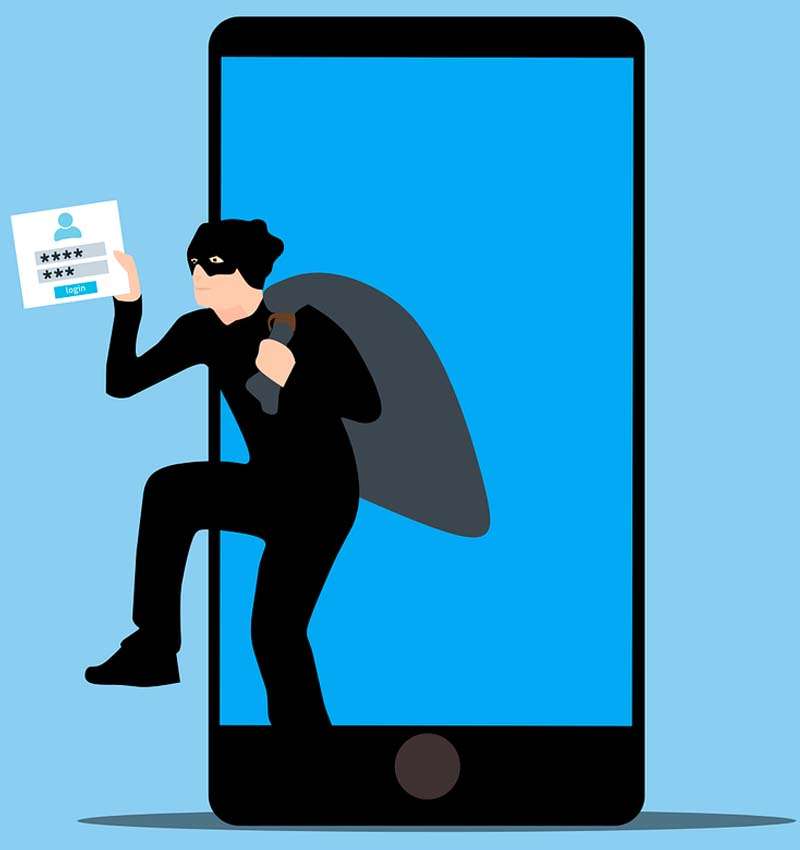
When designing your application’s security, look out for the following:
Authentication
Your authentication process has to balance the delicate act of being easy enough that users won’t get turned away by it and tough enough to keep attackers at bay. Many applications stick to the traditional password authentication method, but it has been proven time and again that this does not offer adequate protection. There’s a reason why multifactor authentication (MFA) has become so widespread—it works. For a hacker to bypass it, they would have to input biometric data such as your face or fingerprint, input an OTP, or answer a personal question. As a bonus, even if a user repeats the same password over multiple platforms and that password is leaked, a threat actor won’t be able to access their account if MFA is enabled.
On the developer side, utilise a token-based security system to check for requests from the app to the backend. Keep an eye on key exchanges as well. Implement AES encryption to make sure no one can view these interactions.
Code
During app development, you may write code that eventually does not get used. This code can become a security liability if outsiders know how to use it for their benefit. Another danger lies in introducing third-party libraries into your code. Any flaws or vulnerabilities within third-party code will also become part of your code. Before taking this step, check if the external code is up to scratch and if the vendor implements high security standards.
Data Storage
The more data you can keep within your app’s boundaries, the better. However, all data can’t be stored on your side of the fence; some of it will be held on your user’s device. If that device is compromised, your app could be at risk. There are ways to mitigate this, such as encrypting all client-side data (on top of the encryption Android provides) and removing any data that a hacker can use, such as message logs, contacts, etc. Check for memory leaks through tools such as OWASP Zed Attack Proxy (ZAP). It allows you to discover gaps in your app’s memory usage.
Server-Side Controls
40% of server components have an unsatisfactory level of security and 35% have extremely dangerous vulnerabilities [2]. These flaws include app code vulnerabilities, configuration flaws, and errors in implementing security mechanisms. These server components are critical for executing your app’s functions and overall security.
For instance, man-in-the-middle attacks could occur where malicious actors listen in on communications by bypassing security certificate controls. You might disable security certificate verification temporarily to test something and then forget to switch it back on.
Code Injection
Android apps are usually interactive, meaning users will be able to input information into fields or upload documents or media. However, hackers can use this open field to inject malicious code. To prevent this, you must specify what kind of data a field will accept by implementing a text validation module. You can also make your app scan documents and media for viruses and malware before accepting them.
Transport Layer
Your application’s transport layer is the path through which data travels between the client and server. An attacker could break into the transport layer and spy on communications. They could also gather enough data to clone your app and access server-side data. One way of thwarting them is to employ end-to-end encryption, as seen in apps like WhatsApp and Telegram. Integrate protocols like SSL and TLS, VPNs, etc.
Reverse Engineering
Reverse engineering has been around for decades, and it’s natural that hackers would look to apply this method to mobile applications to understand their functions and weaknesses. Automated tools can read the app binary and construct the app’s source code. This is where code obfuscation can play a starring role since it prevents threat actors from understanding your code.
How to Tackle Security Threats in Android Mobile Applications
Other than keeping an eye on the above-listed threats, there are a couple of best practices you can follow to ensure your Android mobile applications are well-protected at all times, such as:
- Google has a list of app security best practices on its Android developer website. Treat it as a checklist for your app. Do you apply signature-based permissions and store only non-sensitive data in cache files?
- Conduct regular mobile app security testing sessions, covering
- Static analysis for checking security without activating the code or app.
- Dynamic analysis for checking security from a user’s perspective.
- Vulnerability assessment and penetration testing audits to assess the state of your app security. Immediately close any loopholes you find.
- Decide your security testing approach from the beginning of your application development. Some apps require a less vigorous approach, whereas others, such as banking and password apps, require advanced security measures.
- Implement vigorous authentication and validation checks to prevent attacks in hybrid cloud environments where resources are scattered across the network. Issues in such a setting include loose app permissions and firewalls.
- Maintain a log trail to keep track of network activities across the cloud. This may prove useful in case of an attack since it will help you discover the data breach and contain it quickly.
- Have a backup ready to go in case of ransomware or similar malware attacks.
Defend Your Android Mobile Application Security with ThreatScan
Mobile applications will only increase in popularity as the years go by and more people use smartphones. As such, apps will always be a target for hackers, so it’s a good idea to start planning long-term solutions for your application’s security health. ThreatScan is a SaaS-based vulnerability management and penetration testing platform that goes deep into your system to scan for vulnerabilities, scrutinise risks, and help perform manual pentests. You’ll get an instant threat score to see how your application and network are faring in terms of security, along with an overall organisation score and risk posture. There’s even an easy-to-understand dashboard to manage vulnerabilities, view the status of your pentest, and much more.
If you’re new to this process or feel lost, our AI-based chatbot, Diana, will help you submit, download, and reapply for tests in real-time. The AI-based chatbot will help you answer any questions related to cyber security or about the product. We are also available 24/7 to support you through the pentest journey. You’ll receive all ThreatScan notifications through email, Jira, and Slack integration, allowing you to take action quickly and communicate effectively with your team on your preferred platform.
Kick off your secure Android mobile application journey by contacting us here.
References
2. https://agilie.com/blog/mobile-app-security-risks-and-their-impact-on-your-business
3. https://www.freecodecamp.org/news/how-to-secure-your-android-app/