
As the saying goes, “Give a man a fish and he will eat for a day. Teach a man how to fish and you feed him for a lifetime.” Simply informing your employees about potential cyber threats is not enough to ensure your business is safe from threats. You must teach them to spot phishing attacks and report them immediately. The best way to do that is to immerse them in scenarios that are close to what they would face in real life, which is known as a phishing simulation. This article will dive into what a phishing simulation is, why you need it, and how your organisation will benefit from it.
What Is Phishing?
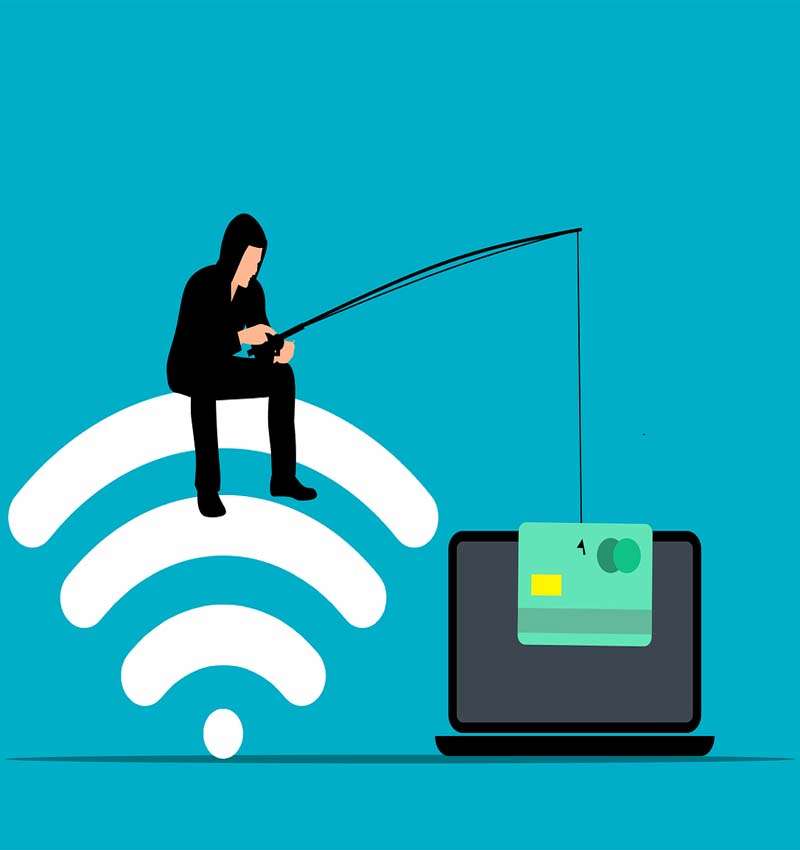
To start with, let’s understand what phishing is. Such attacks typically take place via emails, calls, or text messages and use psychological manipulation to trick victims into clicking on links or downloading malicious attachments. Attackers usually make the message sound urgent so the target panics and makes mistakes more easily. They are often redirected to a fake website where they enter sensitive details that goes directly to the perpetrator.
A typical phishing attack email can pretend to be from a delivery company or retailer about a package, a fellow employee seeking confidential data, a bank about a large transaction, or tax authorities about your tax filings. Phishing can also take place over calls, which is called vishing, or over SMSes, which is called smishing. Spear phishing is a specific type of phishing that gathers data about a target and crafts a phishing campaign specific to them. Whaling is a subtype of spear phishing in which senior business executives or high-net-worth individuals are targeted as they possess valuable information.
81% of IT managers and directors have reportedly experienced an increase in email phishing attacks in the 18 months after March 2020, when COVID-19 affected organisations everywhere [1]. 90% of IT professionals believe email phishing is the top cyber threat to their company. 52% spend an equal amount of time on phishing attacks as they do on other cybersecurity problems.
What Is a Phishing Simulation?
A phishing simulation is a program that sends realistic phishing emails to employees in an organisation. They appear real but are just simulations of what a real-life phishing email looks like. They don’t contain any malicious content. A company’s security department uses such programs to test the cyber readiness of the workforce and prepare reports for senior personnel. Phishing simulations are usually part of a security training program, serving as an evaluation of whatever has been communicated over the course of the program.
Phishing simulation software usually measure various metrics, such as how many users clicked on a phishing email link, downloaded attachments, gave away their credentials, etc. It will typically detail who these users are and how many reported the email through an integrated phishing reporting tool. You can choose templates to send your employees, which should be customisable so that you can craft a targeted email just like an attacker would. If they fall for the scam, respondents can be presented with a page that informs them that this was a phishing simulation, along with a list of safe cyber practices. They may or may not view this page, however, so it’s best to follow up.
Benefits of a Phishing Simulation
Cyber security awareness has become a top business priority in recent years as more and more organisations realise the scope of human error in their security plan. It only takes one employee to fall for a phishing campaign for the whole organisation to be in danger. A hacker can install malicious software that hops from one machine to another until the entire network is infected. This could cause untold damage to your business’s security, reputation, and client trust. It may also impact compliance with regulatory frameworks, such as PCI and GDPR, that require security awareness training.
Keeping this in mind, a phishing simulation will significantly increase cyber security awareness among your staff since it closely mimics an actual phishing attack. Many people assume that they won’t fall for a scam or it won’t affect them. When they do, it becomes a wake-up call. They’ll be less likely to fall for a phishing simulation again and be prepared if there’s a real attack.
A phishing simulation will also allow you to keep track of folks who report the emails. As you conduct campaigns, the percentage of reporters (AKA the reporting rate) should increase while the percentage of victims (AKA the click rate) should decrease. This way, you’ll have solid proof of your security campaign that you can incorporate in reports to senior leaders. It will also put a positive spin on your cyber security awareness program and build a culture of security across the company. Your employees won’t have to worry about their passwords being stolen or data being hacked if everyone follows security protocols.
Best Practices for Phishing Simulations
Phishing simulations will vary according to the organisation, but there are best practices any company can follow to make sure the program is a success:
- You should conduct a training session teaching people how to deal with phishing emails. The phishing simulation will thus serve as an evaluation of the skills you are trying to impart.
- Before starting the phishing simulation, run a test for a few employees. This will iron out any kinks before the actual campaign begins.
- You should also install a phishing reporting tool beforehand.
- Ensure the phishing simulation has been customised for targets in different locations, departments, seniority levels, etc.
- Inform relevant workers in the security department about the phishing simulation so they are ready to deal with reports and can keep track of the click rate. Many people may report emails that aren’t dangerous, so you have to be prepared to sort these out.
- You may have to let other departments, such as HR, or senior personnel know about the phishing simulation in advance.
- If you are planning to send inter-departmental emails, you should check with the relevant department and get their feedback & approval. This is especially important for international teams. It could cause confusion if you don’t.
- You could identify frequently targeted people or those who keep falling for scams to focus your efforts.
- Conduct phishing simulations regularly using different templates.
- Keep track of the news and try to imitate attacks making the rounds. This will enhance the realness of your phishing simulation.
- You can highlight staff who consistently report emails and educate those who fall for them. The latter group must be told to build their cyber safety skills.
Go Beyond Phishing Simulations with ThreatScan
While phishing simulations are a great way to enhance your security awareness training, you still have to deal with an untold number of threats that don’t fall under phishing scams. Just holding these campaigns is not enough to ensure 360-degree cyber safety. You need to have a robust vulnerability management and penetration testing (VAPT) program as well to make sure real incoming attacks are stopped.
ThreatScan is a SaaS-based vulnerability management and penetration testing platform that goes deep into your system to scan for vulnerabilities, scrutinise risks, and help perform manual pentests. You’ll get an instant threat score to see how your application and network are faring in terms of security, along with an overall organisation score and risk posture. There’s even an easy-to-understand dashboard to manage vulnerabilities, view the status of your pentest, and much more.
If you’re new to this process or feel lost, our AI-based chatbot, Diana, will help you submit, download, and reapply for tests in real-time. The AI-based chatbot will help you answer any questions related to cyber security or about the product. We are also available 24/7 to support you through the pentest journey. You’ll receive all ThreatScan notifications through email, Jira, and Slack integration, allowing you to take action quickly and communicate effectively with your team on your preferred platform.
You can contact ThreatScan here.
References
1. https://ironscales.com/blog/ironscales-releases-findings-from-state-of-cybersecurity-survey/